How to Create Recipes Connected to Inventory Etc
By : chef ssentongo Geoffrey
From : Food Recipes
Creating Recipes Connected to Inventory: A Comprehensive Guide

Understanding Recipe-Inventory Integration
Connecting recipes to your inventory system allows for automatic ingredient tracking, cost calculations, and stock management. This integration is essential for restaurants, food manufacturers, and meal prep services.
Step 1: Set Up Your Inventory System
Before linking recipes:
- Catalog all inventory items with unique identifiers (SKUs)
- Establish measurement units (grams, liters, each, etc.)
- Input current stock levels
- Set up supplier information and reorder points
Step 2: Recipe Creation with Inventory Links
Basic Structure for Each Recipe:
- Recipe Name
- Portion Size/Yield
- Ingredients List (linked to inventory items)
- Preparation Steps
- Nutritional Information (optional)
- Cost Analysis
Step 3: Ingredient Mapping
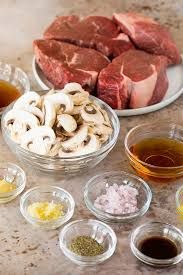
For each ingredient in your recipe:
- Select from inventory database (don’t create duplicates)
- Specify exact quantity using consistent units
- Account for waste/processing loss (peeling, trimming, etc.)
- Set alternative ingredients where applicable
Step 4: Automated Calculations
Your system should automatically:
- Calculate cost per recipe based on current ingredient costs
- Determine cost per portion
- Track inventory depletion when recipes are produced
- Flag low stock ingredients
Step 5: Integration with Production

Connect your recipes to:
- Production schedules
- Menu planning systems
- POS systems (for restaurants)
- Purchasing systems
Recommended Software Solutions
- Restaurant/Food Service:
- Toast Inventory
- Upserve
- MarketMan
- Manufacturing:
- ERP systems like SAP or Oracle
- Food Manufacturing-specific software like Aptean Food & Beverage ERP
- Small Business/Meal Prep:
- Mealtime
- ChefTec
- SimpleOrder
Best Practices

- Standardize all measurements across recipes
- Regularly update ingredient costs
- Conduct physical inventory counts to verify accuracy
- Train staff on proper usage of the system
- Review recipe yields periodically for accuracy
Troubleshooting Common Issues
- Mismatched units: Ensure all recipes use the same unit of measure as inventory
- Duplicate items: Consolidate similar ingredients in your database
- Outdated costs: Set reminders to update prices quarterly or when major changes occur
- Waste discrepancies: Adjust yield percentages based on actual results
Would you like me to elaborate on any specific aspect of this process, such as particular software recommendations or implementation strategies for your specific business type?
 HEALTHY MEALS